Better Spire 2
Better Spire 2 is a small quality-of-life mod designed to make everyday gameplay in Slay the Spire 2 smoother.
It combines several helpful features into a single lightweight package, letting you keep your interface clean while still gaining useful information and shortcuts.
The goal of this mod is simple: reduce unnecessary friction during runs. All included features can be turned on or off individually through an in-game settings menu, so you can customize the experience to your liking.
What the Mod Does
This mod adds several convenience features that help you read combat situations faster and manage your runs more efficiently. None of these features change enemy behavior, card mechanics, or difficulty as they simply present information more clearly or remove repetitive actions.
Incoming Damage Counter
During combat, the mod shows a number above your character that represents the exact amount of HP damage you will receive during the current turn.
The calculation already accounts for:
- Your current Block
- Pet damage absorption
- Enemy attacks that are about to land
This means the number represents real damage that will go through, not just the raw enemy attack value.
Example:
- An enemy plans to deal 12 damage
- You currently have 10 Block
- Your pet absorbs 1 damage
The counter will show 1 damage, because that is what will actually hit your HP.
Color indicators make it easy to read at a glance:
- Red number – damage that will hit your HP
- Green “0” – your defenses fully absorb the attack
- Orange number above your pet – the amount your pet will absorb
The counter updates instantly whenever you play cards, gain block, or otherwise change the outcome of the turn.
Multi-Hit Damage Totals
Enemies in Slay the Spire 2 sometimes attack multiple times in a single action. Normally, the game displays these as something like:
3×3
This means the enemy will hit 3 times for 3 damage each, which equals 9 total damage.
With this mod enabled, the game will display:
3×3 (9)
This small addition saves you from constantly doing quick calculations during combat and helps you judge threats much faster.
Hold R to Restart Your Run
Sometimes a run is clearly doomed. Instead of navigating menus, this feature allows you to restart instantly.
Simply:
- Hold the R key for about 1.5 seconds
Your current run will immediately end and a new run will begin using:
- The same character
- The same ascension level
- The same act configuration
- A new random seed
This is especially useful for players who like to experiment with strategies or quickly restart after a bad opening.
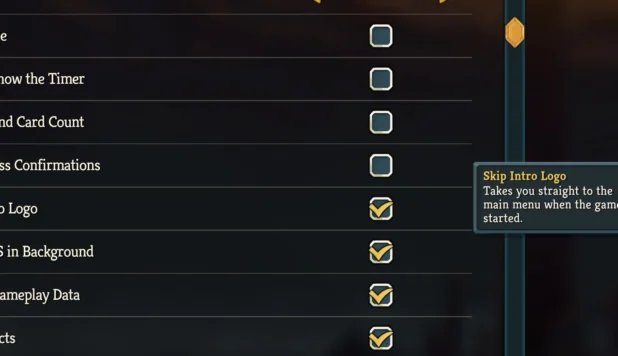
Automatic Splash Screen Skip
When launching the game, the mod automatically skips the intro splash screen and logo animation, taking you straight to the main menu.
It only saves a few seconds each launch, but over time it makes starting the game feel much faster.
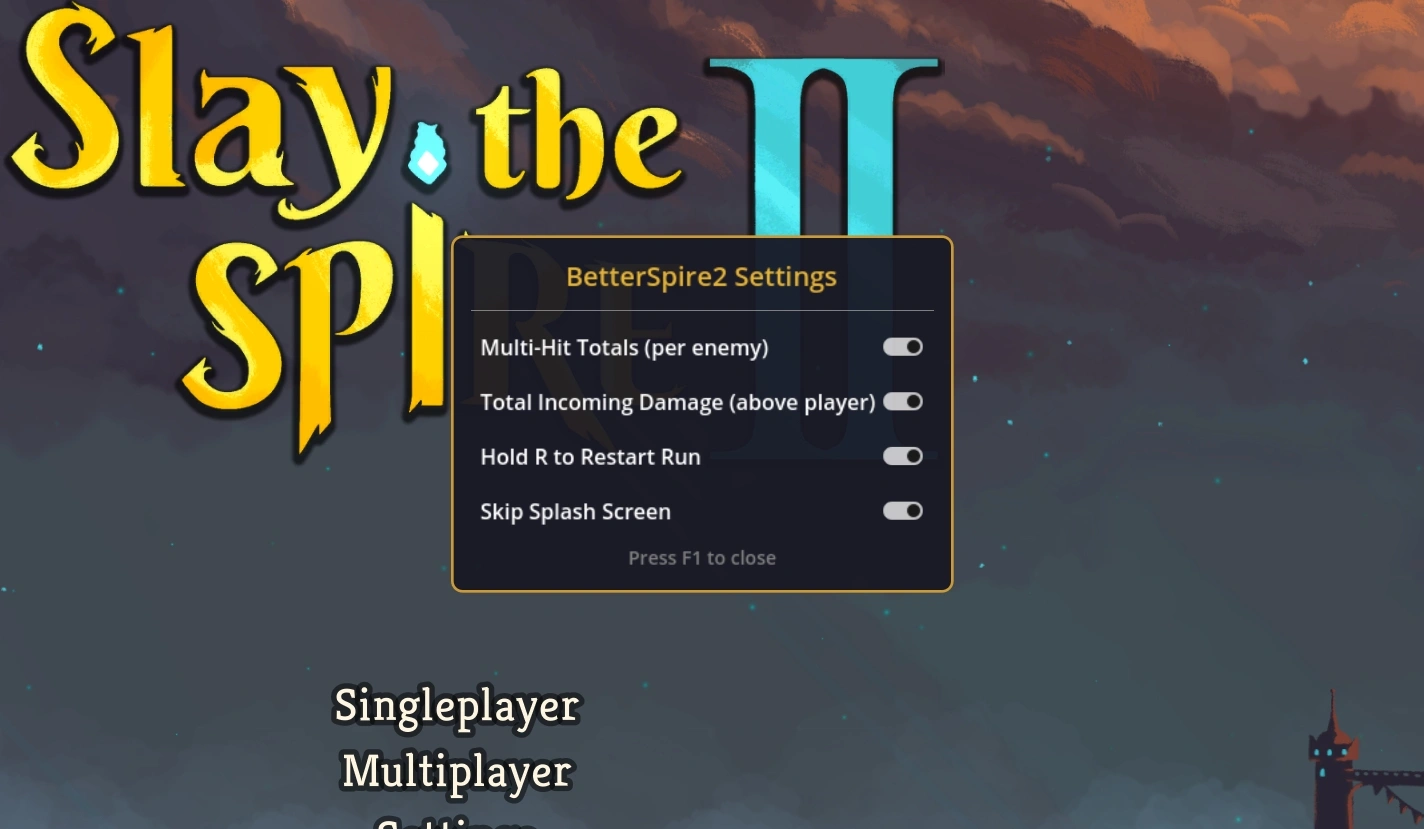
In-Game Settings Menu
Press F1 at any time to open the mod’s settings panel.
From there you can:
- Enable or disable each feature
- Customize which utilities you want active
- Save your preferences automatically
Your settings persist between sessions, so once configured, the mod behaves exactly the way you prefer every time you launch the game.
How to Install Better Spire 2
Installing the mod is simple and only takes a few steps.
Locate your game folder
Open your Slay the Spire 2 installation directory.
For Steam users, it is usually located at: STEAM\steamapps\common\Slay the Spire 2
Create a mods folder
Inside the main game directory:
- Check if a folder called mods already exists.
- If it does not exist, create a new folder named mods.
Extract the mod
Download the mod archive and extract its contents into the mods folder you just created.
Once the files are in place, the game will load the mod automatically when it launches.
Frequently Asked Questions
Does this mod change gameplay balance?
No. The mod only adds interface improvements and shortcuts. It does not modify enemy behavior, cards, relics, or combat mechanics.
Can I disable specific features?
Yes. Press F1 in-game to open the settings menu and toggle each feature individually.
Will this break my existing save?
No. However, the game stores separate save files for modded and unmodded profiles, so you may need to copy your save once when you first install a mod.
Does the damage counter include block and pets?
Yes. The calculation includes your current block and pet absorption, so the number shown represents the true HP damage you will take.
Can I still play without mods later?
Yes. Simply remove the mod from the mods folder to return to an unmodded version of the game.
CREDITS: JDR